
PRE-BUILT CONNECTOR
ConnectJunction provides zero-code integration between Salesforce and QuickBooks (Online and Desktop editions), enabling two-way sync. Its unique Salesforce-native architecture utilizes the full power of Salesforce’s APIs to make data from QuickBooks searchable, actionable, and reportable with Salesforce’s Process Automation and Analytics, powering Agentforce’s AI insights.
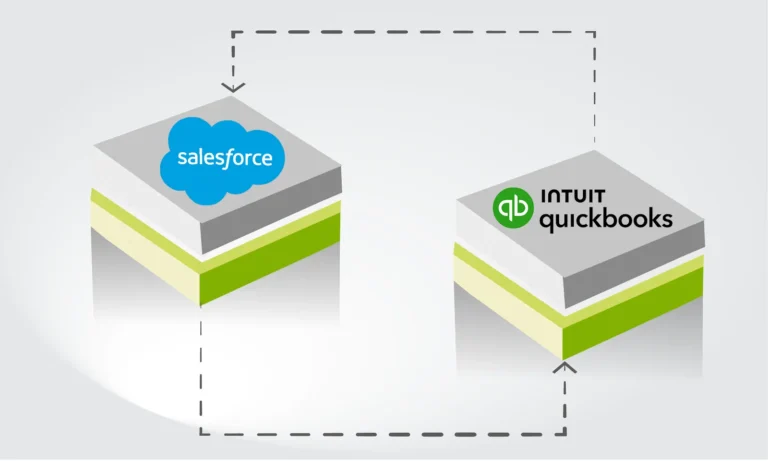
Salesforce-native platform
Access product catalog, pricing and payment updates from QuickBooks in Salesforce to power account management workflows.
TWO-WAY DATA SYNC IN ACTION
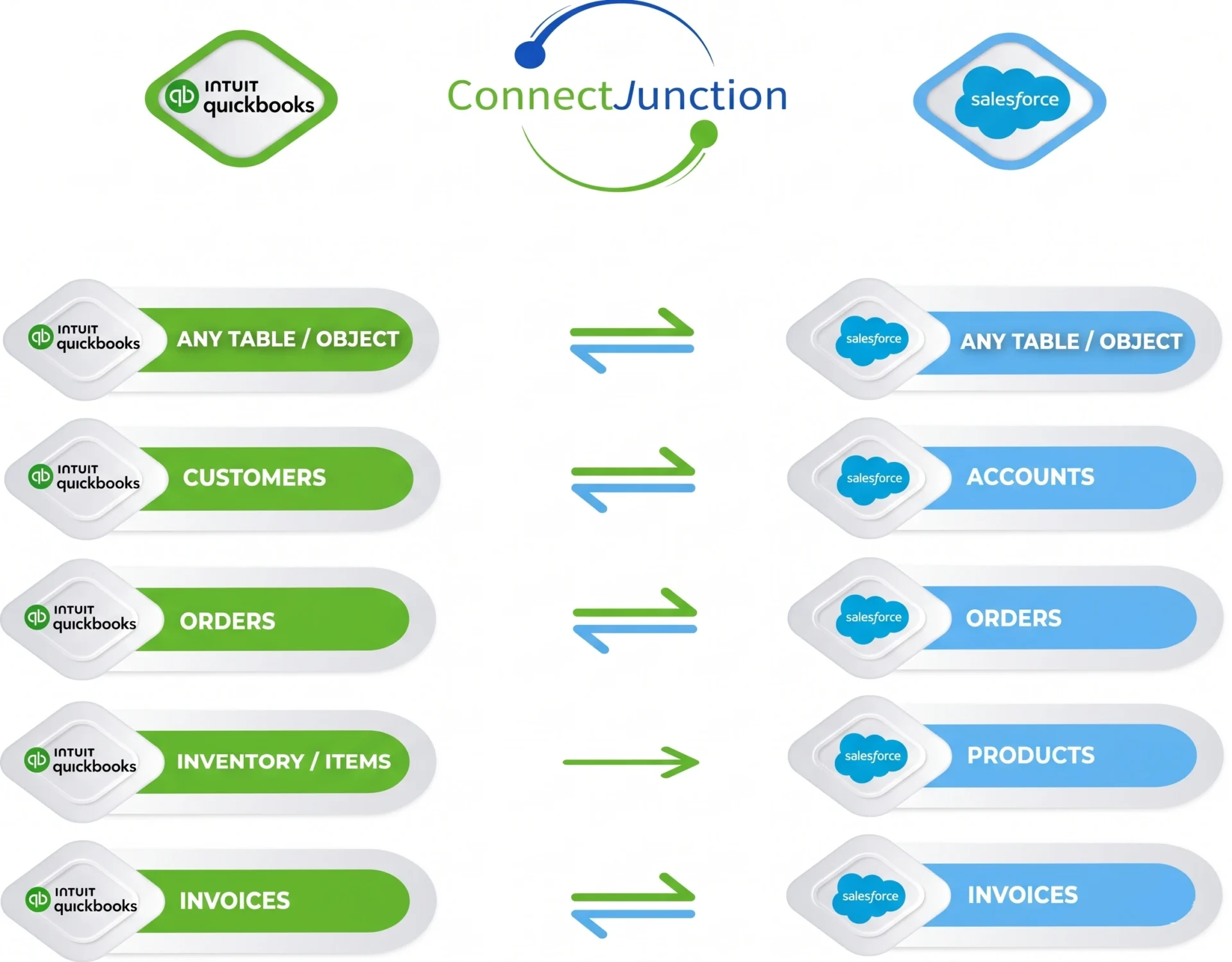
ConnectJunction eliminates manual and redundant data entry between Salesforce and QuickBooks delivering real-time insights directly to your users' Salesforce including mobile app. The Product Catalogue from QuickBooks enables Salesforce Dashboards to display Sales Pipeline and Order History by-products, providing more granular product-level Sales reporting.
POINT & CLICK INTEGRATION
Zero Code Plug-n-Play Integration
Rapid setup and configuration in a few clicks thanks to 100% Salesforce-native architecture
Point-and-Click Administration
Easily extend the integration to any standard or custom object in Salesforce or QuickBooks
Automated Bulk Invoicing
Leverage timesheets data from QuickBooks or Salesforce (or other time entry apps) to automatically generate Invoices in bulk, saving invoice generation time for professional services firms
Designed for Sales Cloud & Manufacturing Cloud
Offer visibility into inventory at the time of Quote creation in Salesforce and see invoices and customer balances on Salesforce Accounts
Product-level Sales Analytics in Salesforce
Product Catalog sync from QuickBooks enables Salesforce Dashboards to show Sales Pipeline and Order History by Products for more granular product-level Sales reporting
data sync matrix
Pricing

Discounted pricing is available for not-for-profits
Sync Data for Salesforce Quoting & Invoicing
Integrate Quoting and Orders into QuickBooks
Enhanced Sync for Advanced Integrations
Feature Set Comparison
| Features | Growth | Pro | Plus |
|---|---|---|---|
| Data Sync | |||
| Two-way sync for Account / Customer Data | |||
| Sync Products and Pricebooks | |||
| Sync Invoices and Orders from QuickBooks | |||
| Invoicing / Payments in Salesforce | |||
| Create invoices and process Payments in Salesforce and sync to QuickBooks | |||
| Automated Invoice Generation in Salesforce (utilizing Opportunities, Products, Quotes, Expense and Timesheet Entries | |||
| Automated Batch Invoicing | |||
| Automated Digital Payments Processing in Salesforce (Credit cards, ACH) with sync to QuickBooks | |||
| Time & Expense in Salesforce | |||
| Sync Expense Account codes from QuickBooks Chart of Accounts to categorize Expenses in Salesforce iExpense Account Codes help categorize Expense Report entries in Salesforce keeping it consistent with QuickBooks ledger |
|||
| Create Accounting entries for Expenses in QuickBooks | |||
| Integrate Timesheet and Expense entries with Payroll Systems | |||
| Manage Timesheets in Salesforce ?User subscriptions for TimeJunction app available for timesheet entry directly into Salesforce |
$Incremental per user subscription applies |
||
| Manage Expense Reports in Salesforce ?User subscriptions for ExpenseJunction app available for managing expense reports in Salesforce |
$Incremental per user subscription applies |
||
| Advanced Syncing | |||
| Sync Inventory level for Products from QuickBooks to Salesforce | — | ||
| Sync Quotes from Salesforce to QuickBooks Estimates | — | ||
| Automated Sales Order generation in QuickBooks (from Salesforce Opportunities, Products, Quotes) | — | ||
| Support for multiple QuickBooks Companies / Company Files | — | — | |
| Sync any App’s data in Salesforce to QuickBooks (e.g. Shopify, Timesheets, Expenses, ServiceMax, TargetRecruit) | — | — | |
| Supports any standard or custom objects/fields in Salesforce and QuickBooks | — | — | |
| Support for QuickBooks Desktop Edition | — | — | |
Fuel your AI Agents with real-time insights
Customer service representatives can be armed with information in a few seconds with a simple conversational query. No more juggling multiple screens, swivel chairing and accessing multiple apps and interfaces to find information related to a customer.
Self-service possibilities for customers become more exciting as customers and partners can access AI Agent-powered web portals and web apps and lookup information, request actions and get progress visibility and status updates, in response to simple conversational requests, powered by live data streaming from ERPs and back-office systems.
Avoid expensive integrations
Your data stays as-is, in the system it belongs to. This bypasses the need for expensive data migrations and matching up reference IDs and data formats across multiple systems.
Data can be accessed on-demand by AI Agents without having to deal with the overhead of a long, complex integration project.
Bypass all ETL / data sync pains
The conventional Extract-Transform-Load complexity of data integrations is bypassed as the data is not synced or replicated across systems.
The zero-copy architecture simply queries the data on-demand as and when needed.